A Debian 12 VM on VLAN 20 (10.2.20.2) with Elasticsearch, Kibana and Fleet Server (version 9.4.2 in my case)
Elastic Agent and Sysmon on the three GOAD Windows hosts, enrolled in Fleet
Elastic Security detections running on the incoming events
The server ports:
9200 → Elasticsearch (where the data lives)
5601 → Kibana (the web interface)
8220 → Fleet Server (where agents enrol)
Ludus roles
Ludus has two community Ansible roles for this. Add them and make them visible to the lab user (as admin):
terminal
ludus ansible role add badsectorlabs.ludus_elastic_containerludus ansible role add badsectorlabs.ludus_elastic_agentludus ansible role scope global badsectorlabs.ludus_elastic_containerludus ansible role scope global badsectorlabs.ludus_elastic_agent
Adding the VM to the range
Start from the current range configuration and add the Elastic VM at the end of the ludus: list.
terminal
ludus --user <range-user> range config get > goad-elastic-config.yml
{{ range_id }} is a Ludus template variable: leave it as is, with the braces. Ludus replaces it with your range ID (the same as your <range-user>), so the VM ends up named, for example, GOADLight383ff8-elastic-server. That is the name you use later in --limit.
Generate a random password and do not leave it in the repository or share it. On RAM: I started with 8 GB and it was not enough, see Problems and fixes.
Apply the configuration and deploy only what is needed so GOAD is not touched again:
terminal
ludus --user <range-user> range config set -f goad-elastic-config.ymlludus --user <range-user> range deploy -t network,vm-deploy,dns-rewritesludus --user <range-user> range deploy --limit localhost,<range-user>-elastic-server
The first one creates the VM and the network. The second installs Elastic on that VM only. Deployments are asynchronous: the command only answers Range deploy started, and progress is shown with ludus --user <range-user> range status. If you change something later (I had to add RAM) and want to rerun only the role:
terminal
ludus --user <range-user> range deploy -t user-defined-roles --limit <range-user>-elastic-server
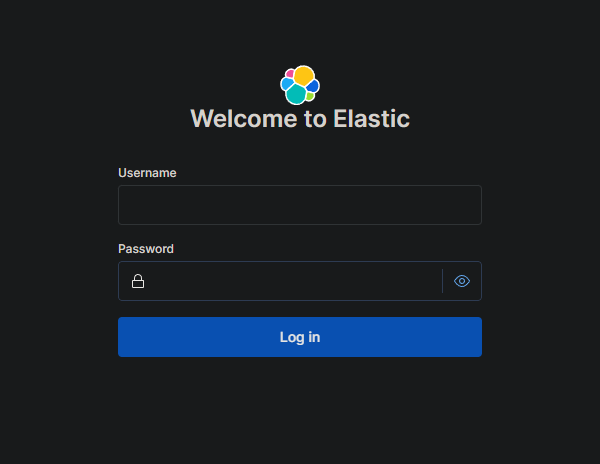
If all goes well, Kibana answers at https://10.2.20.2:5601 (self-signed certificate, accept the warning). The user is elastic and the password is the one you set in role_vars.
Kibana login screen at https://10.2.20.2:5601 once the role is deployed
Agents on the Windows hosts
The ludus_elastic_agent role is attached to the GOAD VMs with depends_on on the Elastic server role:
In my case the role did not leave the agents installed and I ended up installing them by hand on the three Windows hosts, replicating the role's tasks (Elastic Agent 9.4.2 and Sysmon 15.22, Ludus-Agent-Policy policy). The detail that cost me time: the enrolment token must be base64, not id:key.
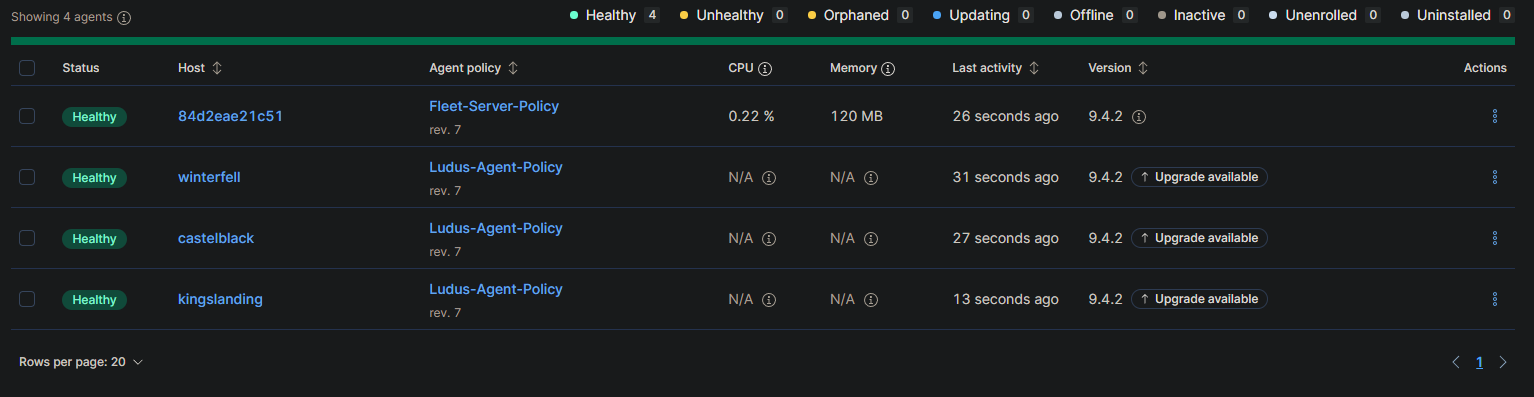
To check it, open Fleet in Kibana at https://10.2.20.2:5601/app/fleet/agents (or through the menu: Management → Fleet → Agents). The three Windows hosts and the Fleet Server itself should show as Healthy, four agents in total. After powering on the VMs, the agents take a few minutes to connect.
Fleet with the four agents Healthy: the Fleet Server and the three GOAD-Light Windows hosts, with the Ludus-Agent-Policy policy
Do not confuse it with the Agents entry in Kibana's side menu: that is Agent Builder, an AI feature that requires an Enterprise licence and has nothing to do with Elastic Agent.
Detections
The Ludus role installs the Windows and Elastic Defend integrations. Alerts come from the rules in Security → Rules → Detection rules; without active rules, Sysmon and PowerShell events stay raw and unflagged. In my case 1206 of 2025 rules were already enabled, and I also enabled the 22 missing Elastic Defend ones. Check which ones you have.
When the setup is finished there will already be hundreds of alerts. They are noise from the GOAD deployment itself (account enumeration, WinRM). You can clear them or create exceptions.